

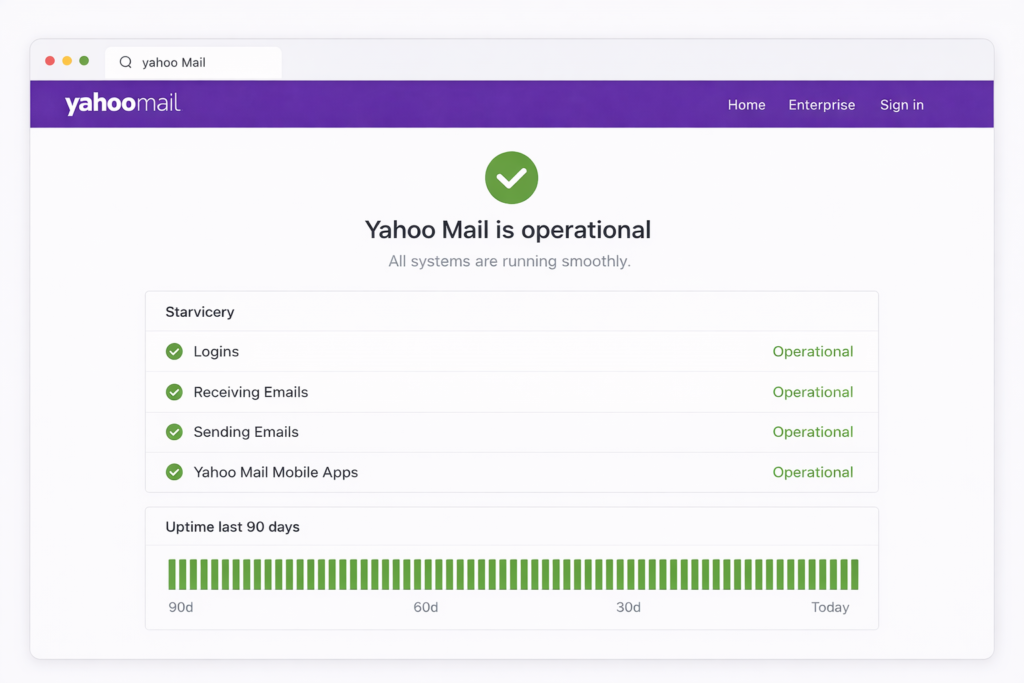
Status of Yahoo Mail: How to Check If Yahoo Mail Is Working
Yahoo Mail is one of the most widely used email platforms in the world. Millions of users rely on it daily for personal communication, business emails, and account notifications. However, like any online service, Yahoo Mail can sometimes experience technical problems or outages.
Understanding the status of Yahoo Mail helps users quickly determine whether a problem is caused by a system outage or an issue with their own device or internet connection. Knowing how to check the service status can save time and reduce frustration when emails stop working.
What Does Yahoo Mail Status Mean?
The status of Yahoo Mail refers to the current operational condition of the email service. It indicates whether the platform is working normally, experiencing partial disruptions, or completely down.
When Yahoo Mail is operating normally, users can send and receive emails without issues. If the service is experiencing technical problems, users may face difficulties logging in, sending messages, or loading their inbox.
Monitoring service status helps users identify if the issue is widespread or limited to their own account.
Common Signs Yahoo Mail Might Be Down
When Yahoo Mail experiences outages or disruptions, users may notice several warning signs.
Login Problems
One of the most common indicators of a Yahoo Mail outage is difficulty signing into your account. Users may receive error messages or experience extremely slow loading times.
Emails Not Sending or Receiving
If Yahoo Mail servers are experiencing problems, emails may remain stuck in the outbox or fail to arrive in the inbox.
Inbox Not Loading
Sometimes the inbox interface fails to load completely, showing blank pages or repeated loading errors.
Server Error Messages
Users may also see server-related messages such as temporary errors or connection problems when trying to access their accounts.
These signs often indicate server-side issues rather than problems with the user’s device.
How to Check the Status of Yahoo Mail
When Yahoo Mail appears to be malfunctioning, checking the service status can help confirm whether there is a widespread outage.
Official Service Status Page
The best way to check Yahoo Mail status is through official service monitoring pages. These platforms report real-time updates about outages and maintenance activities.
Outage Monitoring Websites
Third-party outage tracking sites collect reports from users worldwide and display service disruptions in real time. If many users report issues simultaneously, it usually means the service is experiencing a global outage.
Social Media Updates
Official announcements and user reports on social platforms often reveal whether Yahoo Mail is experiencing temporary issues.
These sources provide quick confirmation of ongoing technical problems.
Common Causes of Yahoo Mail Outages
Yahoo Mail outages can happen for several reasons. Understanding these causes helps users identify whether the issue is temporary.
Server Maintenance
Sometimes email services perform scheduled maintenance to improve performance or security. During this time, access to Yahoo Mail may be limited.
Technical Server Failures
Unexpected server crashes or infrastructure problems can temporarily disrupt email services.
Network Connectivity Issues
Large-scale internet network disruptions can prevent users from accessing email platforms even when the servers are functioning normally.
Security Updates or System Changes
Major updates to email systems can sometimes create temporary instability, leading to short service interruptions.
These issues are usually resolved quickly by technical teams.
How to Fix Yahoo Mail Issues on Your Side
If Yahoo Mail is not experiencing a global outage, the problem may be related to your device or browser.
Refresh the Page or Restart the App
Sometimes simply refreshing the browser or restarting the email app resolves temporary glitches.
Check Your Internet Connection
A slow or unstable internet connection may prevent Yahoo Mail from loading correctly.
Clear Browser Cache
Stored browser data can sometimes interfere with website performance. Clearing the cache may fix loading problems.
Update Your Browser
Using an outdated browser may cause compatibility issues with modern email platforms.
Trying these quick fixes can often restore normal email access.
Why Monitoring Yahoo Mail Status Is Important
For individuals and businesses that rely on email communication, knowing the status of Yahoo Mail is extremely important. Service disruptions can delay important messages, affect marketing campaigns, and interrupt daily communication.
Regularly checking service status allows users to quickly identify whether they should wait for the service to recover or troubleshoot their own system.
This awareness helps prevent unnecessary troubleshooting and saves valuable time.
Final Thoughts
The status of Yahoo Mail determines whether the email service is working properly or experiencing technical problems. While outages are relatively rare, they can occasionally occur due to server maintenance, system updates, or network issues.
By knowing how to check Yahoo Mail status and recognizing the common signs of outages, users can quickly understand the problem and take the appropriate action.
Staying informed about service updates ensures smoother email communication and minimizes disruptions when issues arise.
Ready to clean your list? Download TsEmailValidator.exe — Free (200 emails) or Lifetime for $43 (pay once, unlimited forever). Support: support@timesolutionz.com.