

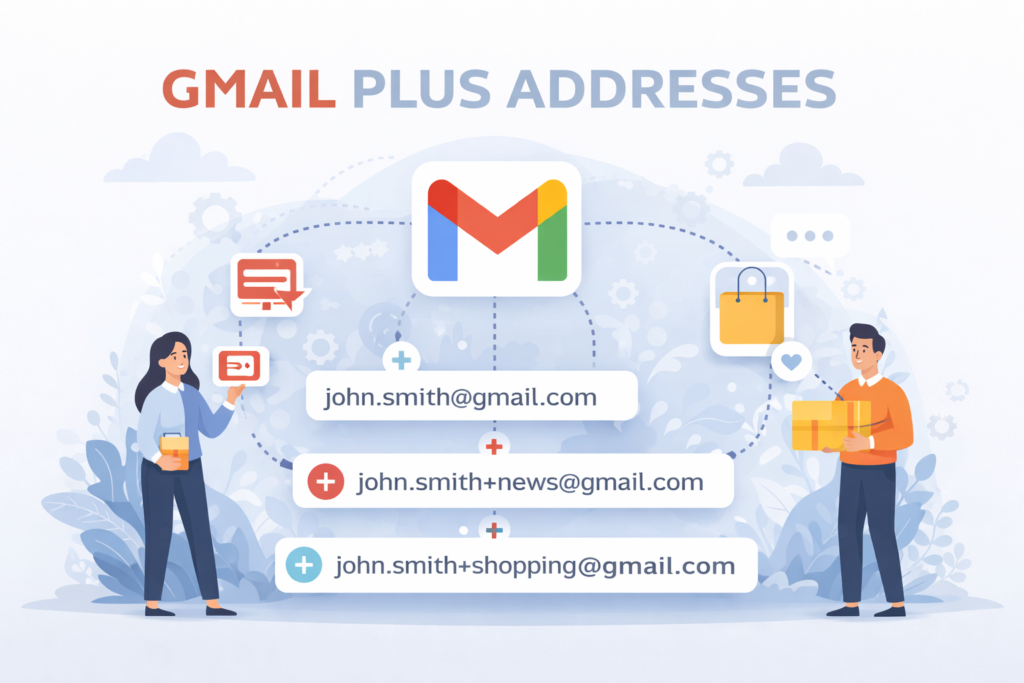
Managing emails can feel overwhelming, especially when your inbox is flooded with promotions, updates, and spam. Fortunately, gmail plus addresses offer a simple yet powerful way to stay organized without creating multiple accounts.
In this guide, you’ll learn how gmail plus addresses work, why they matter, and how to use them effectively.
What Are Gmail Plus Addresses?
Gmail plus addresses allow you to add a “+keyword” to your email address. This creates variations of your email that still deliver messages to your main inbox.
For example:
yourname+shopping@gmail.com
yourname+work@gmail.com
Even though these look like separate emails, Gmail treats them as the same account.
How Gmail Plus Addressing Works
The concept is simple. Gmail ignores everything after the plus (+) symbol when delivering emails. However, you can use that extra text to organize messages.
Example
If your email is zainab@gmail.com, you can use zainab+newsletter@gmail.com. All emails still arrive in your inbox, but now you can filter them easily.
Benefits of Gmail Plus Addresses
Better Email Organization
You can categorize emails based on purpose, such as shopping, work, or subscriptions.
Spam Tracking
If you receive spam on a specific plus address, you’ll know which website shared your email.
Easy Filtering
Gmail allows you to create filters using these addresses, making inbox management automatic.
7 Smart Ways to Use Gmail Plus Addresses
Track Website Signups
Use a unique plus address for every website. This helps identify where emails are coming from.
Organize Online Shopping
Use addresses like name+shopping@gmail.com or name+deals@gmail.com to keep promotional emails separate.
Manage Newsletters
Use name+newsletter@gmail.com to group all subscription emails in one place.
Separate Work and Personal Emails
Use name+work@gmail.com and name+personal@gmail.com to create structure within one account.
Detect Spam Sources
If spam arrives at a specific plus address, you can trace its origin instantly.
Create Temporary Emails
Use plus addresses for quick signups and filter them later.
Improve Productivity
A clean inbox helps you focus on important emails without distractions.
How to Create Filters in Gmail
Open Gmail settings, go to Filters and Blocked Addresses, and click Create New Filter. Enter your plus address in the “To” field. Then choose actions like applying a label, skipping the inbox, or marking emails as read.
This setup automatically organizes your emails and saves time.
Common Mistakes to Avoid
Overusing Keywords
Too many variations can become confusing, so keep your naming simple.
Not Using Filters
Without filters, gmail plus addresses won’t be effective.
Are Gmail Plus Addresses Safe?
Yes, gmail plus addresses are completely safe. They don’t expose your main email and don’t create security risks.
However, some websites may not accept the “+” symbol, and this method is not a full replacement for multiple accounts in complex situations.
FAQs
Q: What are gmail plus addresses?
They are modified versions of your Gmail address using a “+keyword” for better organization.
Q: Do emails still go to my main inbox?
Yes, all emails are delivered to your primary inbox.
Q: Can I use multiple plus addresses?
Yes, you can create unlimited variations.
Q: Why are some websites rejecting my email?
Some platforms don’t support the “+” symbol.
Q: Are gmail plus addresses useful for business?
Yes, they help organize communication and track sources.
Conclusion
Gmail plus addresses are one of the easiest ways to take control of your inbox. They help you organize emails, reduce spam, and improve productivity without extra effort.
By using smart keywords and setting up filters, you can transform a cluttered inbox into a clean, efficient system. Start using gmail plus addresses today and make email management simple and effective.
Ready to clean your list? Download TsEmailValidator.exe — Free (200 emails) or Lifetime for $43 (pay once, unlimited forever). Support: support@timesolutionz.com.